No app download.
Open a QR code or link in a standard web browser.

Hospital wayfinding, made practical
Clear, step-by-step directions through your hospital. On the phone your visitors already have.

Make every
connection clearer.
The actual product. Not a concept.
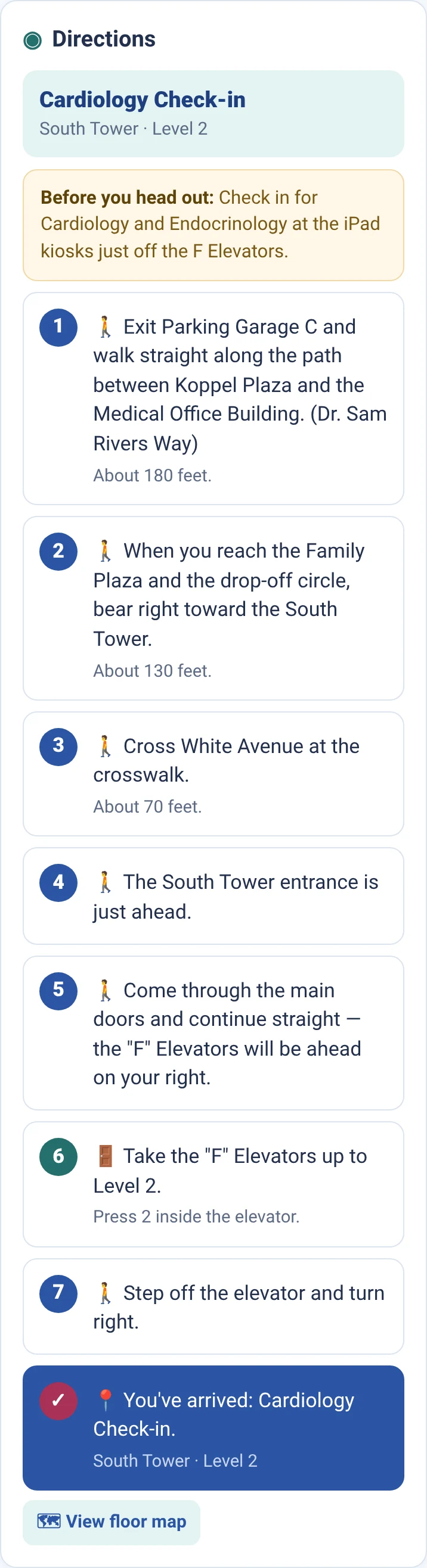
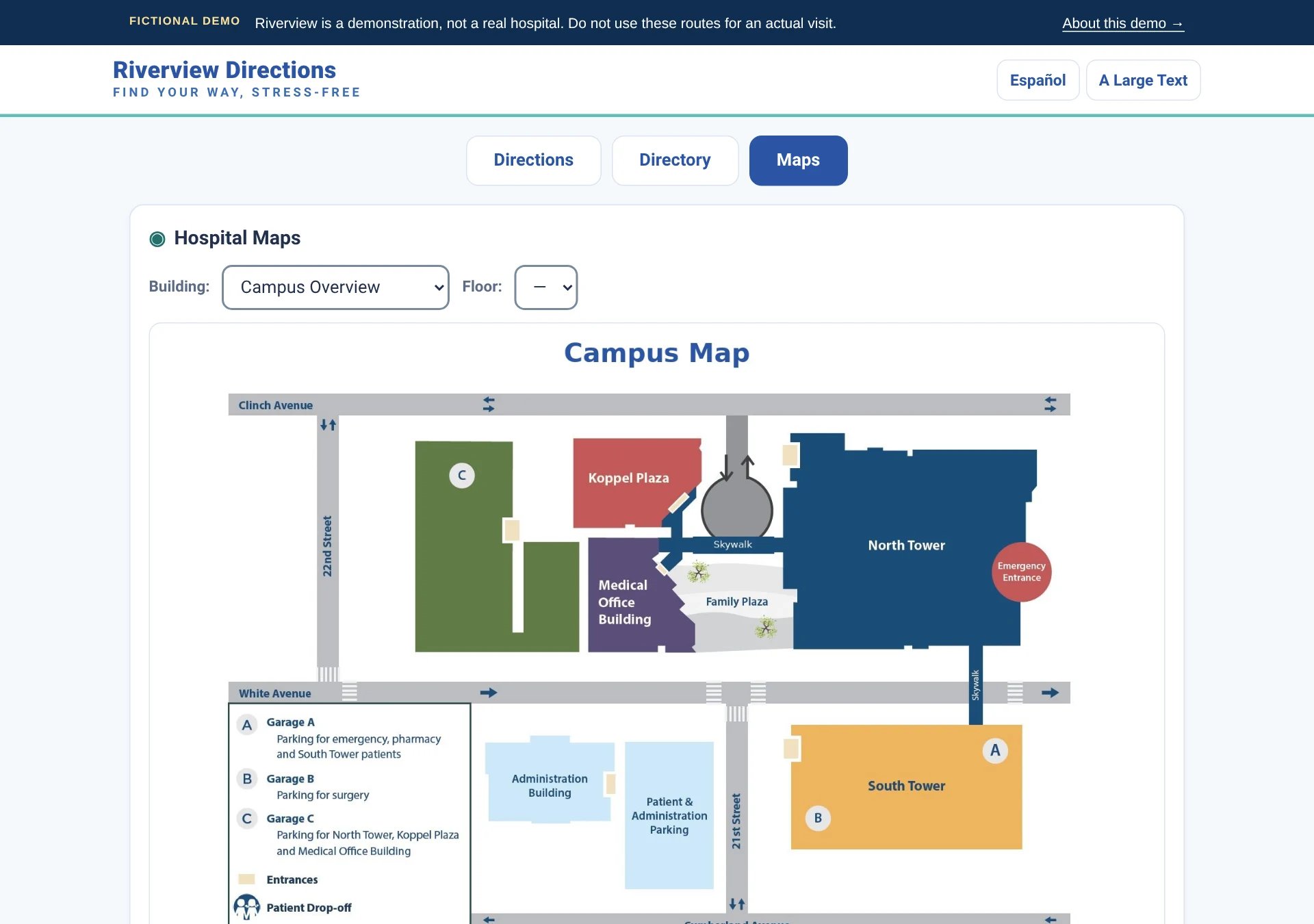
Choose where you are. Search for a department, doctor, or patient-room number. Follow directions that use familiar landmarks and clear language. Visitors can also check the directory, switch to Español, use step-free routes, and choose “Stay indoors when possible” when the hospital has defined those paths.
Riverview is our fictional hospital demo. Try the same working interface shown here.
Try Garage C → Cardiology (opens demo in a new tab)Explore the demo’s features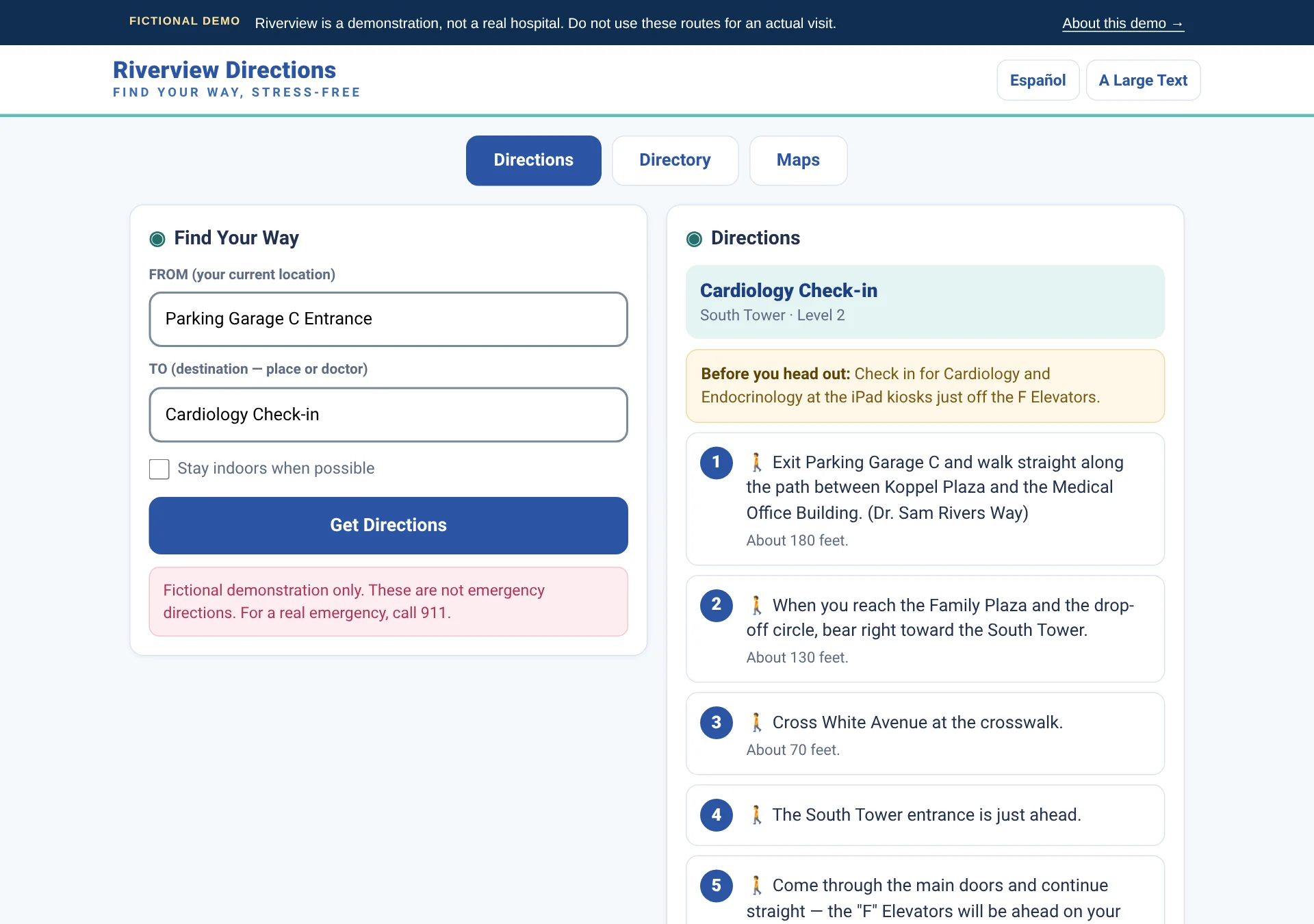
Built around the visit
Finding the right hallway shouldn’t be another thing to figure out.
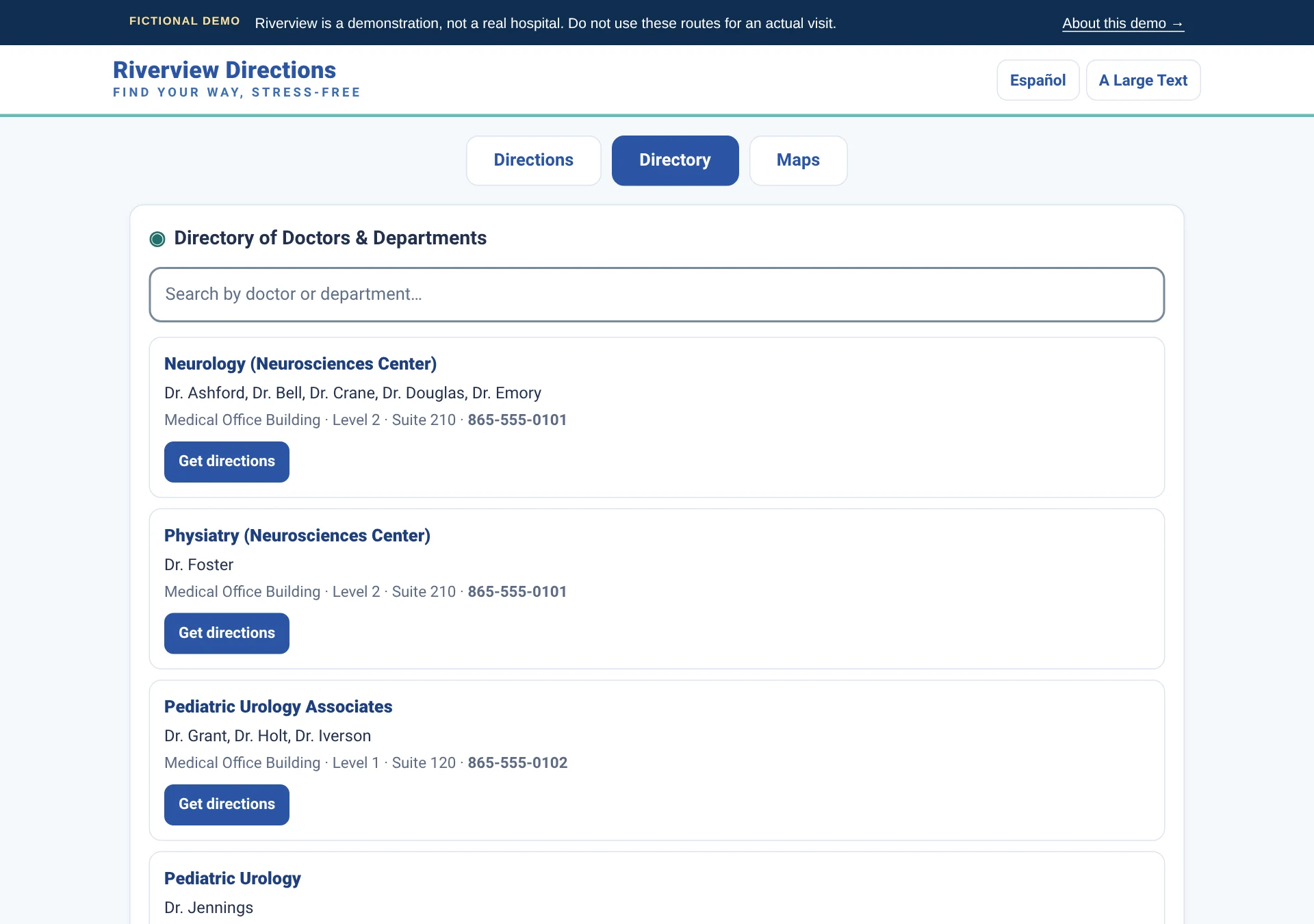
Familiar landmarks and everyday names. “Blood draw” finds the lab; “brain doctor” brings up Neurology in the Riverview demo.
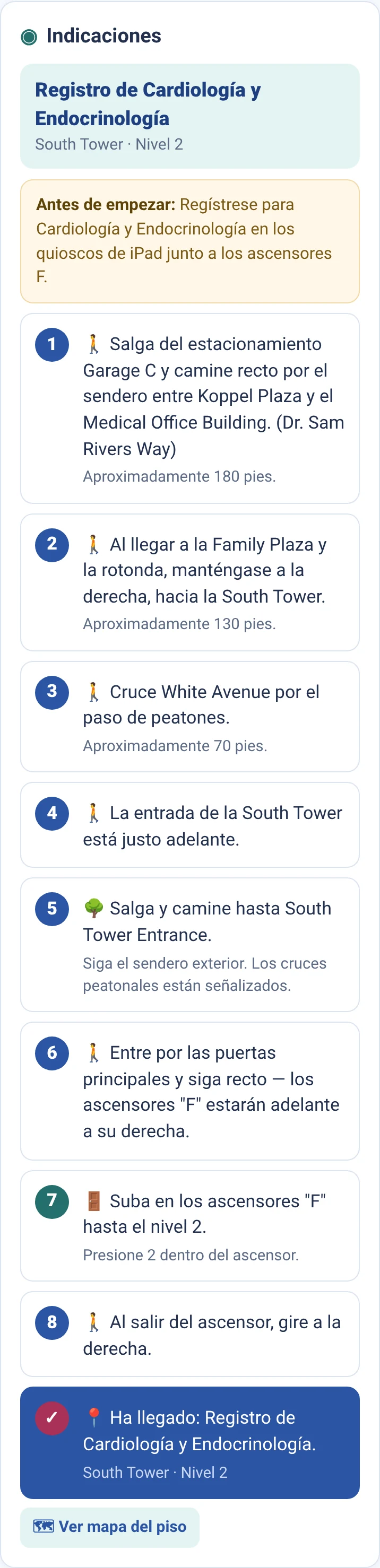
Switch languages inside the Riverview demo, including the route instructions.
A dedicated large-text option helps visitors follow the next instruction.
More than getting there
Sometimes the first stop isn’t the department. It’s registration.
Hospital Directions can include where to check in and what needs to happen before a visitor heads to the next location.
In Riverview’s fictional lab example, the app asks about a wristband. Visitors without one are directed to the Information Desk to begin registration before going to the lab.
Your hospital defines the check-in locations and instructions. This guides visitors to check-in; it does not register them or issue a wristband.
Try the lab check-in example (opens demo in a new tab)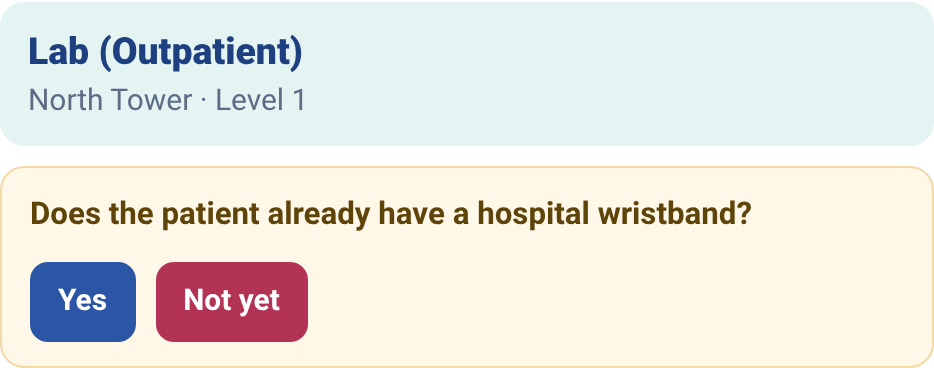
Where physical meets digital
The sign establishes the starting point.
A location-specific QR code tells Hospital Directions where the visitor is starting. They choose a destination and follow the directions in their browser.
No live location tracking is implied: the known starting point comes from the sign or the visitor’s selection.
Try this starting point (opens demo in a new tab)A clear location.
A helpful next step.

A focused approach
Hospital Directions focuses on curated routes and known starting points—not a larger indoor-location hardware rollout.
Open a QR code or link in a standard web browser.
No login stands between the visitor and the directions.
Known locations and curated paths power the core experience.
Directions use a starting point and destination, not a patient chart.
From your campus to their phone
Your team shares the maps, directories, check-in rules, and other resources you already have. Hospital Directions LLC builds the finished system—every route, turn, landmark, starting point, and signage template.
How implementation worksProvide current floor plans, campus maps, doctor and department directories, check-in requirements, and the visitor resources your team already uses.
Hospital Directions builds every route, turn, landmark, starting point, plain-language search term, and check-in note—then walks the real campus to verify the experience.
Hospital Directions provides ready-to-print or digital QR signage templates for agreed locations, plus direct links your hospital can use on the web, in messages, or other visitor materials.
Built for you
Share the maps, doctor directories, department lists, check-in requirements, and visitor resources you already use. Hospital Directions turns that material—and what we verify on site—into the finished visitor experience.
Founded by a hospital volunteer
While volunteering at a children’s hospital in East Tennessee, Matthew Parsons recognized how much friction finding the right place could add to a visit. He founded Hospital Directions to make that next step clearer.
Read our storyEvery implementation includes an on-site mapping visit to walk routes, verify visitor landmarks, and identify useful QR starting points in the real environment.
See how implementation works →
A clearer way forward
Tell us about your campus and the visitor journey. We’ll show you how Hospital Directions could help.
Schedule a demo today Reach out to learn more. No patient information needed.